


The automation trend has a silent identity issue. Teams are either automating movement of data from one tool to another. Or teams are automating the manufacturing of pipelines, taking unclean messy lead input and creating clean, enriched, prioritized leads with messaging that actually lands.
Therefore, a comparison of Clay and n8n is helpful, because even though they "automate", they are at a different layer in the stack. In this post, I'll provide you with assistance choosing which platform best fits your needs, an automated outbound process or a solid foundation for integration. If you would like to try out both now, you may do so by checking Clay promo offer with free credits and annual discount and n8n promo code for a 14-day free trial and annual savings.
- 01 Clay vs n8n: overview
- 02 What's the difference between Clay and n8n?
- 03 Clay pros and cons
- 04 n8n pros and cons
- 05 Clay compared to n8n
- 06 n8n compared to Clay
- 07 Features comparison
- 08 Clay vs n8n: Which is the best for your business?
- 09 Alternatives to Clay & n8n
- 10 Promotions on Prospecting software
- 11 Clay vs n8n: Conclusion
Start saving on the best SaaS
Secret has already helped tens of thousands of startups save millions on the best SaaS like Microsoft Teams, Google Workspace & many more. Join Secret now to buy software the smart way.

01 Clay vs n8n: overview
Both clay and n8n are built around the same idea – less hands-on, more scalable – but how this idea is achieved differs greatly in philosophy.
Clay is an all-in-one, GTM (go-to-market) focused platform that combines three core features – list-building, data-enrichment and AI-based personalized messaging – into one flow. Clay was created specifically for Sales and Growth Teams looking for ways to improve their targeting capabilities and have access to richer context such as firmographic information, signals, role information etc., prior to sending those records to a CRM or sequence/flow automation tool.
The pricing of clay is credit-based because the process of enriching data uses paid data providers and clay allows users to use their own provider API keys to control their cost.
n8n is a workflow automation platform created to link apps together and create logic-heavy workflows. Operators and technical teams love using n8n because it is very flexible and has the ability to support complex branching along with a self-hosted community edition available. The pricing of n8n cloud is by the number of workflow executions and not the number of steps in each workflow. This can be a big advantage if you are creating long workflows with many node types.
To show the difference in these platforms, let's compare them side-by-side in a feature-by-feature comparison.

Ease of use
Clay is GTM-ready for enrichment and outbound workflows, n8n is approachable but becomes demanding once you need robust mapping, retries, and state handling.

Clay
n8n
Self-hosting / Privacy
If self-hosting is strategic, n8n is the clear winner (Community Edition). Clay is optimized for SaaS speed-to-value rather than infrastructure control.
Clay
n8n
Customer support
Clay tends to feel more guided for GTM outcomes, n8n support depends on plan and whether you’re on Cloud or self-hosting with community resources.
Clay
n8n
Pricing plan
Clay cost correlates with enrichment usage (credits), n8n can be self-hosted free or used on Cloud with execution-based pricing that scales with throughput.
Clay
n8n
Integrations ecosystem
Clay’s ecosystem centers on GTM data and CRM handoffs, n8n is designed to connect broad SaaS stacks and can extend via HTTP requests and custom nodes.
Clay
n8n
Customer reviews
Both score well within their niches, Clay with outbound and growth teams, n8n with technical operators who care about flexibility and privacy.
Clay
n8n
Time-to-value
Clay delivers faster value for prospecting and personalization, n8n pays off most when you commit to building stable, reusable workflows across your stack.
Clay
n8n
Core use case fit
Clay is built to turn leads into enriched, segmentable prospects with messaging context, n8n is built to automate across systems and keep operations consistent.
Clay
n8n
Data enrichment
Clay is natively designed around enrichment credits and data providers, n8n can enrich only via external APIs you integrate, maintain, and monitor.
Clay
n8n
Workflow flexibility
Clay workflows are powerful but GTM-shaped, n8n is general-purpose automation with deep conditional logic, code-friendly nodes, and custom integrations.
Clay
n8n
02 What's the difference between Clay and n8n?

Inside Clay's enrichment workflow
Clay
AI-powered prospecting

n8n connects everything behind the scenes
n8n
n8n is a powerful automation platform that allows users to seamlessly connect and automate workflows across various apps and services.
The most basic way to look at this is this: Clay is optimized for "who to contact and what to say," while n8n is optimized for "what should happen in the middle between systems."
Clay will do better on any process that has a starting list (raw leads, target accounts, inbound signups) and the subsequent action requires context, role verification, company signals, clean segmentation fields, and personalized messaging angles. This makes sense economically for Clay, since the expensive part is the enrichment itself; you're essentially paying for access to data providers.
Additionally, Clay is very clear on what actions cost credits vs. what actions are free, so teams can design workflows without accidentally burning budget.
n8n is an automation canvas. You use it to connect tools, move data, create operational guardrails, deduplication rules, routing, retries, error notifications, cross-tool synchronization, etc. If self-hosting is required, or if you want to treat automation like internal infrastructure rather than a point solution, n8n can be very compelling. n8n cloud pricing is execution-based; one full run of any workflow counts as an execution regardless of how many steps, which can be a major advantage compared to per-step billing in other automation products.

Clay
Used by 2881 members
14 days free + 10% off annual plans
Save up to $229

n8n
Used by 3472 members
50% off the monthly and annual Business plan for 1 year
Save up to $4,800
03 Clay pros and cons
What are the advantages of Clay?
- Enrichment-first workflows: Clay is built around turning incomplete records into actionable GTM profiles. That dramatically reduces the “CRM is full of blanks” problem when scaling outbound.

- Personalization with real context: Instead of templated fluff, Clay makes it easier to ground messaging in company signals, role nuances, and relevant triggers, useful when deliverability is tight and attention is scarce.
- Clear ROI path for revenue teams: Clay is easiest to justify when success is measured in meetings, opportunities, and pipeline velocity, not “number of automations built.”
- Cost control via credits and BYO keys: Because enrichment is credit-based, you can design workflows around the fields that matter and connect your own data provider API keys when you already pay for them.
- Fast time-to-value: For GTM teams, Clay often replaces a patchwork of spreadsheets, enrichment tools, and manual research steps with a repeatable production line.
What are the disadvantages of Clay?
- Not a general iPaaS: If your priority is orchestrating systems, billing, product events, data warehouse syncs, Clay will feel like the wrong abstraction layer.

- Less suited for heavy branching and state: Clay can automate GTM workflows, but n8n is typically stronger for complex logic, retries, and long-lived processes.
- Credit burn is real: Enrichment is powerful, but it’s also easy to overspend if you enrich too early, enrich too many fields, or don’t gate enrichment behind qualification rules.
- Best outcomes require a sharp ICP: Clay amplifies your targeting strategy, if the strategy is vague, Clay can help you scale the wrong list faster.
- Self-hosting isn’t the main play: Teams with strict internal requirements around where data flows and executes often prefer n8n’s self-hosted posture.
04 n8n pros and cons
What are the advantages of n8n?
- High-ceiling workflow design: n8n supports complex branching, transformations, and custom integrations, excellent when your workflow looks more like software than a simple automation.
- Self-hosting flexibility: The Community Edition makes n8n a strong choice for teams that want privacy control, data residency, or internal governance over credentials and payloads.
- Execution-based Cloud pricing: Counting per execution, not per step, can be cost-efficient for long workflows with many nodes.
- Operator-friendly for technical teams: It’s favored by technical founders and ops teams who want control without building everything from scratch.
- Great backbone for an automation stack: n8n works well as the spine that routes data between GTM, product, and ops tools while keeping logic centralized.
What are the disadvantages of n8n?
- Beginner friction: The UI is visual, but production-grade workflows demand competency with APIs, data shapes, auth, and failure modes.
- Enrichment isn’t native: Unlike Clay, you must connect enrichment sources yourself and maintain them, provider changes, rate limits, schema updates.
- Self-hosting adds ops overhead: Updates, monitoring, backups, secrets management, and scaling can become a real workload.
- Time-to-value depends on workflow clarity: If you don’t already know what to automate and how, n8n can sit idle as a tool you own.
- Cloud limits require discipline: Poorly designed polling, retries, or high-frequency triggers can inflate executions and cost faster than expected.
Compare n8n to other tools


Make vs n8n

Lovable vs n8n
05 Clay compared to n8n
Clay is an automation tool designed for use by revenue teams to be used for enrichment, segmentation, prioritization and contextualized outreach and to automate the processes of how teams do outbound in a workflow-based manner.
n8n on the other hand is a generalized automation tool to allow you to create custom connections to various systems, enforce custom business rules (logic) and to enable operational efficiency through repeatable processes across your entire technology stack; n8n also offers the ability to host it yourself.
Is Clay better than n8n?
 Is Clay better than n8n?
Clay is better in all cases where your final output is a sales ready prospect, a complete record of your prospect's role and company information, the correct segmentation fields and credible contextual information to improve response rates.
n8n is better in all cases where your final output is a reliable process, data flowing from one system to another using consistent logic, guardrails and auditable records. If you are creating a process in this manner (using n8n) then clay could be a data feed into n8n; however, n8n will always remain the orchestration tool.
What is Clay best used for?
Clay is ideal for outbound systems with bottlenecks in enrichment and personalization; building target lists and enriching contacts & accounts and creating messaging angles based on real signals.
If your team cares about pipeline velocity, Clay provides a way for teams to standardize good prospecting hygiene without forcing SDRs to be part-time researchers.
Can Clay replace n8n?
There are some cases where a majority of what you have on your automation roadmap is GTM (enrichment), enrichment (segmentation), segmentation (personalization), personalization (CRM / Sequence), and keeping lists up-to-date. Clay does a good job in this space.
Clay will never be a replacement for n8n when it comes to cross-departmental orchestration, product events, finance work flows, internal tooling, managing multiple systems at once, or self-hosted governance. This is n8n's natural habitat.
Is Clay cheaper than n8n?
If you are hosting n8n yourself, then the costs of software can be very small; however, you will have a high degree of operational responsibility (engineering time) for that system. That "hidden" cost may be important if your team's resources are already fully utilized.
If Clay replaces all other GTM data systems, then it could end up being less expensive than each tool individually because it has the potential to increase conversion rate enough to justify the credits associated with it. To evaluate the economic feasibility of using Clay, begin with Clay promo code with free credits and compare the results to your current spend.
Is there a better Prospecting software than Clay?
Are there better GTM data enrichment and outbound personalization platforms than Clay?
It depends on how you define "better." An alternative will exist as an all in one CRM platform for most users who consider themselves to be using a CRM and owning their system of record. As an alternative to iPaaS tools with wide-reaching automation capabilities, you will likely also find alternatives.
However, if your primary pain point is, "We don't have sufficient context to effectively target and personalize at scale," Clay is difficult to replace. Use Clay alternatives for GTM enrichment and outbound personalization to compare options side by side.
Should GTM teams use Clay with n8n together?
When you are looking to have a complete separation of tasks in your workflow, one of the best architectures is to enrich and add context to leads using Clay; and use n8n to output those enriched leads into downstream systems such as CRMs, Slack, Data Warehouse, prevent duplicate records, and to activate operational work-flows.
This is an effective way to avoid creating two common pitfalls:
- Forcing n8n to function as a UI for GTM enrichment.
- Forcing Clay to function as a general purpose orchestration tool.

Clay
AI-powered prospecting
14 days free + 10% off annual plans
Save up to $229
06 n8n compared to Clay
n8n is the better solution if you need a permanent automation layer that will connect your tools, perform your logic, and allow you to host on your own servers to maintain your privacy and control.
Clay is the better solution if your main goal is improving the quality of your leads and executing your outbound process, enriching and personalizing your leads in a production-line fashion.
Is n8n better than Clay?
n8n will be better to use if you have to automate across many systems or if you are trying to create an entire system of steps (orchestrate) in your business process, creating many different types of decision-making paths (branching), and/or you want to create an internal system to run all of your processes.
Clay will be better if you are only looking to do GTM (Growth Marketing), enrichment, list creation, and taking unqualified leads and making them qualified for a revenue team to take action on.
What is n8n best used for?
Use n8n to connect systems together, automate repetitive tasks, route information, sync objects, notify teams, transform payload formats, enforce rules for operations, etc.
If you would like to get more technical about how n8n works with executions and trials and would like to read further on this topic, the n8n documentation provides detailed explanations that will help you understand these concepts., n8n Cloud free trial documentation.
Can n8n replace Clay?
Yes you can, however you would need to build out all of Clay’s GTM value on your own, choose enrichment providers, connect via API’s, deal with rate limits, normalize the fields, and create your own scoring and personalization logic.
That would make sense for a tech savvy company with a custom workflow. Most Revenue Teams do not want to turn prospecting into an integration project.
Is n8n cheaper than Clay?
Many times yes, particularly when you host it yourself. n8n uses the Cloud pricing model of “workflow execution” which can be predictable when you design good workflows and avoid triggering noisy flows.
However, being cheap is not just about subscription pricing. If your goal is pipeline and your team is spending countless hours manually enriching and researching prospects, Clay may be the lower-cost option overall as far as Total Cost Per Qualified Meeting. If you want to test both, begin with n8n promo code for a free trial and annual savings and compare against a Clay test run.
Is there a better Business Process Management software than n8n?
There could be depending on your constraints. There are some tools that have been optimized for no-code simplicity and using templates for initial set up; while other tools have been optimized for enterprise governance and large-scale, managed deployments.
One of the advantages of n8n is its blend of execution-based billing in the cloud, as well as a self-hosted path, if you want control.
If you're trying to map out this landscape, begin with n8n. n8n alternatives for workflow automation.
Is n8n a valuable tool?
Yes, n8n is a valuable skillset in this regard (1) as it allows for the use of fundamental automation techniques that include durable automation; triggers; web hooks; authentication; data transformation; branching logic; and error/failure handling. These skills will allow an individual to transition from using n8n to other automation/integration products easily.
For those individuals working in RevOps or operations roles looking to create production ready automations (or "ship") without having to wait through entire engineering cycles, n8n is a great option to build with a system mindset.

n8n
Build smarter workflows
50% off the monthly and annual Business plan for 1 year
Save up to $4,800
07 Features comparison
n8n Often Offers the Lowest Entry Cost, Clay Offers Faster GTM ROI

n8n pricing plans at a glance
n8n can start very cheap if you self-host, and Cloud pricing can be efficient because it’s based on executions rather than steps. That can keep long workflows from becoming unexpectedly expensive.
Clay’s cost is tied to enrichment, which is exactly what makes it valuable. You’re not paying for automation, you’re paying for the data that turns outbound from guesswork into a repeatable system.
If you’re evaluating ROI, don’t compare subscription lines only. Compare cost per qualified lead and cost per booked meeting.
n8n Edges Clay on Integrations Breadth for System Automation
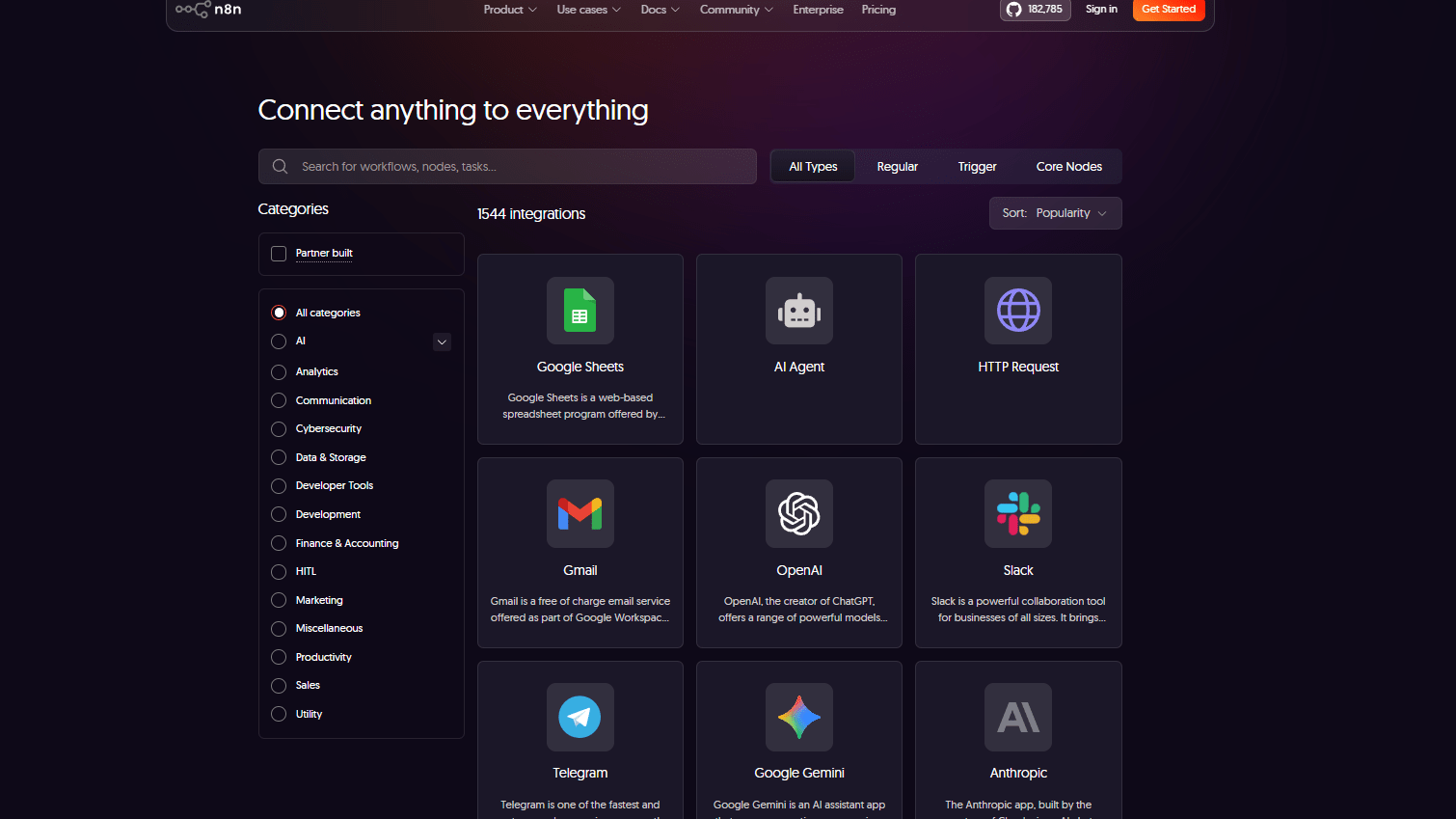
n8n's wide range of integrations
By design, n8n will "connect everything" by default. Essentially, n8n is a system-to-system connector (orchestrator) that can ingest as much complexity as possible while allowing downstream teams to avoid handling that complexity.
While Clay has a number of important integration features, those features tend to focus on enriching data and executing GTM programs via CRM, Data Sources and Prospect Workflows. If an organization’s automation roadmap involves integrating across multiple departments, products, operations, finance, data, etc. , then n8n’s broad integration capabilities are likely to offer the best fit.
Clay Wins on Time-to-Value for GTM Teams

Clay cleans and enriches your data effortlessly
Clay has the advantage of being able to compress multiple GTM activities into one process. Since Clay helps organizations streamline their manual research processes, and ensure consistent information across systems, this compression is a huge benefit.
Time-to-value with n8n will depend upon how quickly you can develop and test the workflow logic. Strong operations teams can achieve this relatively quickly; however, as mentioned earlier, n8n is still a "build first" solution.
As a result, Clay tends to outperform n8n with SDR's and Growth Marketers since Clay supports all of the key GTM functions (Targeting, Enrichment, Personalization, Hand-off) at the point-of-work for these users.
Clay Is Easier for Sales Use Cases, n8n Is Easier for Builders

Why Clay feels natural for sales teams
Clay makes more sense in scenarios where the sales team will be using it. The sales team has a good mental model of how to use the tool as they already know lists, fields, segments and message context. A lot of the effort that would go into thinking about how to set up integrations for your sales teams can be removed by using Clay.
n8n is better suited to developers or builders of automations. This is because the developer mindset is rewarded when using n8n (it’s all about payloads, APIs, authentication and building reliable flows).
It is common in many organizations to have both tools and use them together. In these organizations, Clay will be used to enrich customer data for GTM (go-to-market) purposes while n8n is used to power the automated workflows and system hygiene for the organization.
Clay Leads on Data Enrichment for Prospecting Workflows
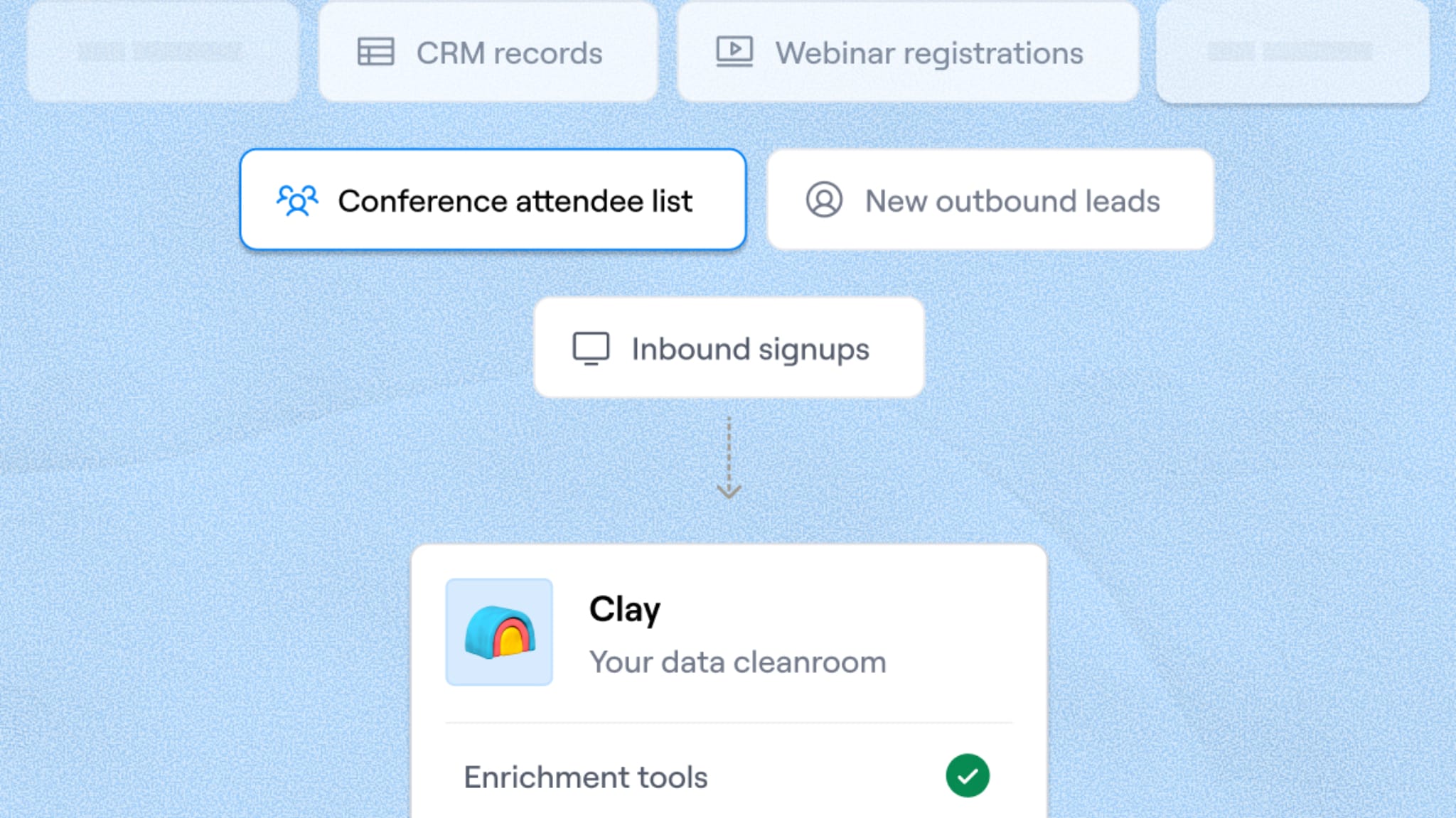
Clay cleans and enriches your data effortlessly
Clay is designed from ground up to work with enrichment as a first class citizen. So when designing workflows, you're creating a flow of processes to take a raw record and turn it into something a sales team trusts - validated roles; company attributes; and context fields which can be used to segment.
Enrichment can be done in n8n however, it is much like building your own mini integration platform. You'll have to piece together different providers; map schemas; and maintain the workflow as APIs evolve.
Therefore if enrichment quality and speed are dependent upon the success of the pipeline; Clay provides a more direct method to accomplish enrichment. Additionally, Clay's own FAQ is very clear regarding what uses credits vs. does not. Clay’s explanation of credit usage.
n8n Pulls Ahead on Workflow Flexibility and Complex Logic

What advanced automation looks like in n8n
When workflows require deep branches, reusable modules, and advanced error handling n8n has an advantage. n8n is designed to support complex logic and scalable automations whereas Clay Workflows are designed with specific use cases in mind (GTM outcomes, enrichment, qualification, personalization, handoffs) and are not intended to be a generalized workflow or orchestration engine. If you need a workflow that supports a large number of internal systems (routing, syncing, transformation, retries), n8n will likely provide the underlying architecture. n8n Dominates Self-hosting and Data Privacy Control
Self-hosted data is an absolute for some organizations; that means n8n is the better option with its Community Edition. You know exactly where your customer's data is going to flow (where), you know where their login credentials are living (where) and how they are executing their workflow (how).
This makes sense when your automation workflow touches on sensitive customer data, proprietary processes for your organization, or if you have workflows that are regulated by law.
You can still have Clay as part of your privacy conscious stack, but when controlling data is policy rather than a preference, n8n is the more obvious choice.
08 Clay vs n8n: Which is the best for your business?
Clay is the best tool for you if:
- You run outbound and need enrichment plus personalization to be a consistent system, not an artisanal craft.
- Your CRM data quality is a bottleneck (missing roles, weak firmographics, poor segmentation fields).
- You want faster campaign iteration because research and list prep are slowing execution.
- Your team is revenue-heavy (SDRs, growth, founders) and you don’t want automation ownership to sit solely with engineering.
- You want an easier starting point with Clay discount code to enjoy free credits and an annual discount.
 You run outbound and need enrichment plus personalization to be a consistent system, not an artisanal craft.
n8n is the best tool for you if:
- You need a true automation backbone to connect many tools with robust logic and reliability.
- Self-hosting or governance matters for privacy, compliance, or data residency.
- You have technical resources to build, monitor, and maintain workflows in production.
- You want predictable scaling via execution-based pricing rather than per-step billing.
- You want to start with a low-risk trial using an n8n promo offer for a free trial and annual discounts.
Clay
Used by 2881 members
14 days free + 10% off annual plans
Save up to $229
n8n
Used by 3472 members
50% off the monthly and annual Business plan for 1 year
Save up to $4,800
09 Alternatives to Clay & n8n

Apollo.io
Used by 4413 members
50% off the annual Basic or Professional plan for 1 year (Up to 5 seats)
Save up to $3,000

FullEnrich
Used by 398 members
2,000 free credits
Save up to $100

Lusha
Used by 380 members
15% off monthly plans and 35% off annual plans
Save up to $240

ZoomInfo
Used by 277 members
14 days free
Save up to $50
10 Promotions on Prospecting and Business Process Management software
Clay and n8n are great tools, but Secret offers promo codes with discounts on over 2190+ different SaaS solutions. New deals are added regularly, helping you save money on your online subscriptions. Get access to codes for other Prospecting and Business Process Management software you might want to purchase

Pipedrive coupon code
30% off for 12 months

Deal for Make
3 months free on the Teams plan (240k credits included)

Code for HubSpot
90% off the Professional and Enterprise plans for 1 year

Bonsai discount
2 months free on annual plans
Promo code Apollo.io
50% off the annual Basic or Professional plan for 1 year (Up to 5 seats)

Deal for Xero
90% off for 6 months

Discount for Crunchbase
20% off for 1 year

Promo code for Stripe Atlas
$50 off for the incorporation of your company

Waalaxy (ex. ProspectIn) offer
7 days free + 50% off annual plans

Code for Zapier
14 days free + 33% off annual plans
11 Clay vs n8n: Conclusion
Clay makes more sense for sales teams; n8n makes more sense for developers.
Clay makes more sense in scenarios where the sales team will be using it. The sales team has a good mental model of how to use the tool as they already know lists, fields, segments and message context. A lot of the effort that would go into thinking about how to set up integrations for your sales teams can be removed by using Clay.
n8n is better suited to developers or builders of automations. This is because the developer mindset is rewarded when using n8n (it’s all about payloads, APIs, authentication and building reliable flows).
It is common in many organizations to have both tools and use them together. In these organizations, Clay will be used to enrich customer data for GTM (go-to-market) purposes while n8n is used to power the automated workflows and system hygiene for the organization.
Start saving on the best SaaS
Secret has already helped tens of thousands of startups save millions on the best SaaS like Microsoft Teams, Google Workspace & many more. Join Secret now to buy software the smart way.